Skip to content

Your sales.
Your stock.
Every branch.

See how the day is going, keep stock in view and give every branch a place to work. Explore checkout, inventory and the records behind every movement.

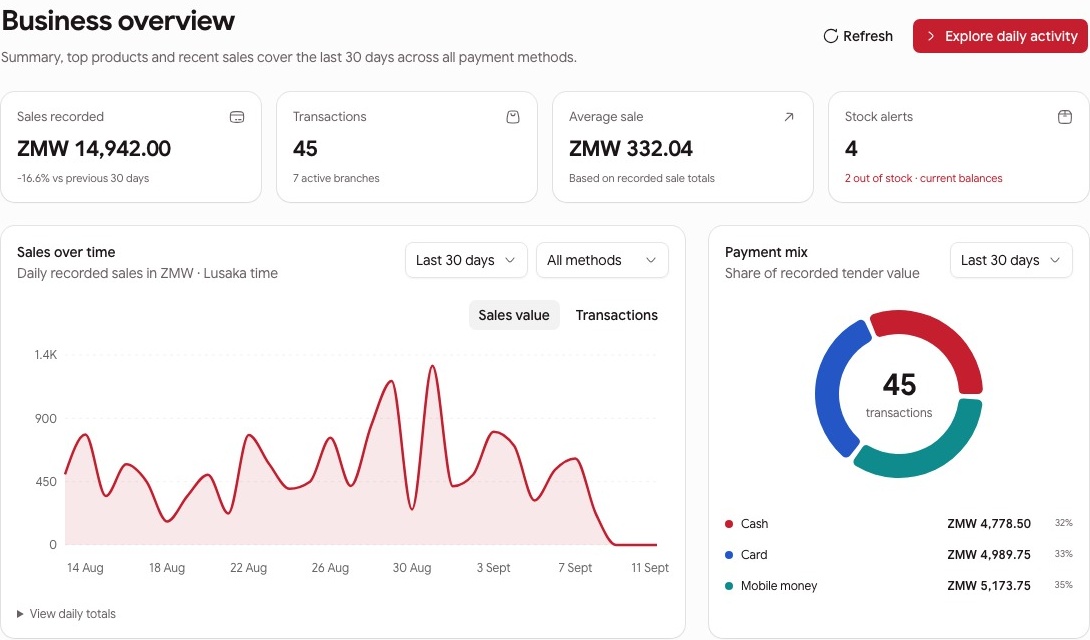
RevPOS dashboard content showing sample sales measures, sales trends and payment mix.

Inventory

Know what’s on hand. See what needs attention.

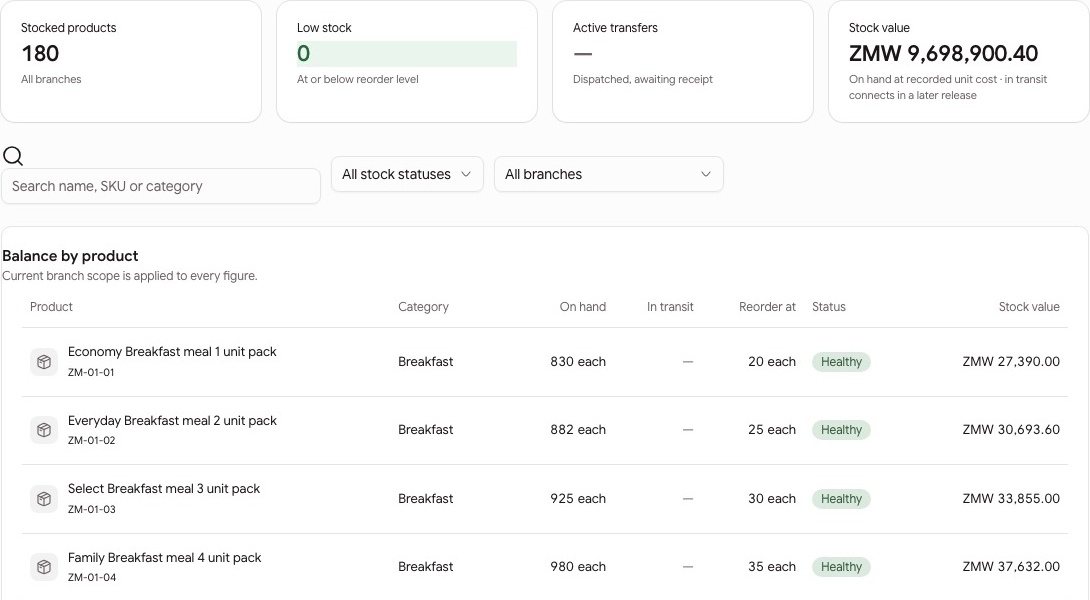
Check stock by branch, spot low balances and find the products your team needs to replenish. Keep quantities and stock value in the same view.

Search the catalogue, choose a branch and inspect the balance behind each product.

Sample branch inventory with product quantities, stock values and low-stock indicators.

Stock movements

Every stock change has a record.

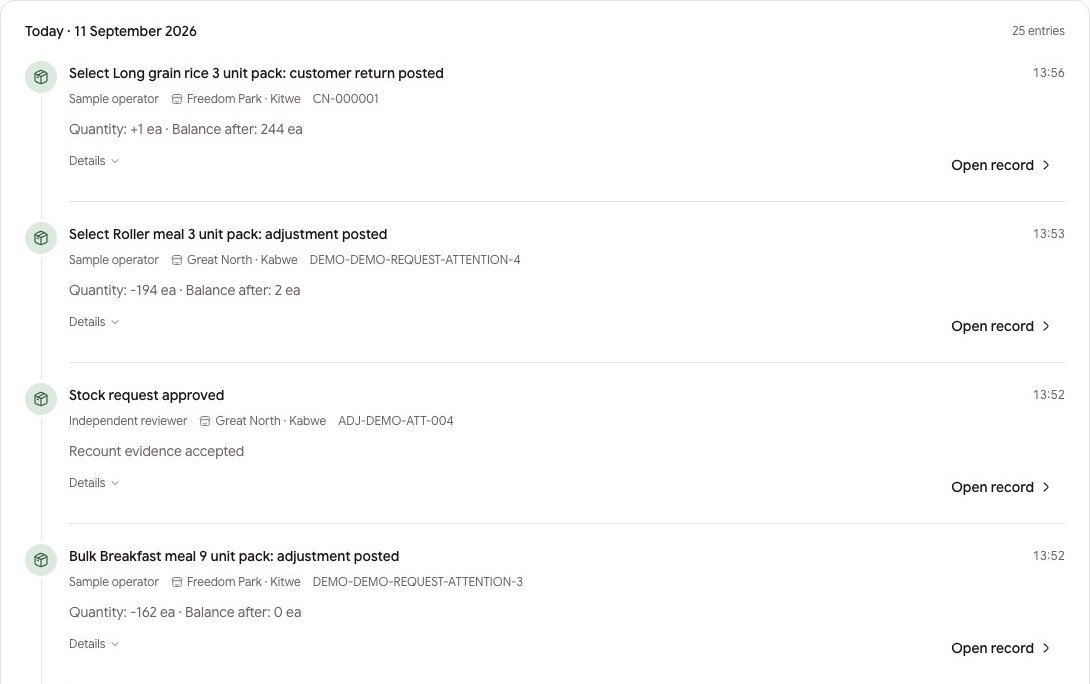
Follow receipts, sales, transfers and adjustments. See what changed, where it happened and the record behind the movement.

Open a movement to inspect its quantities, reference and branch context.

Sample stock activity timeline with returns, adjustments and stock request decisions, including operators and branch context.

Branch performance

See the day behind every branch.

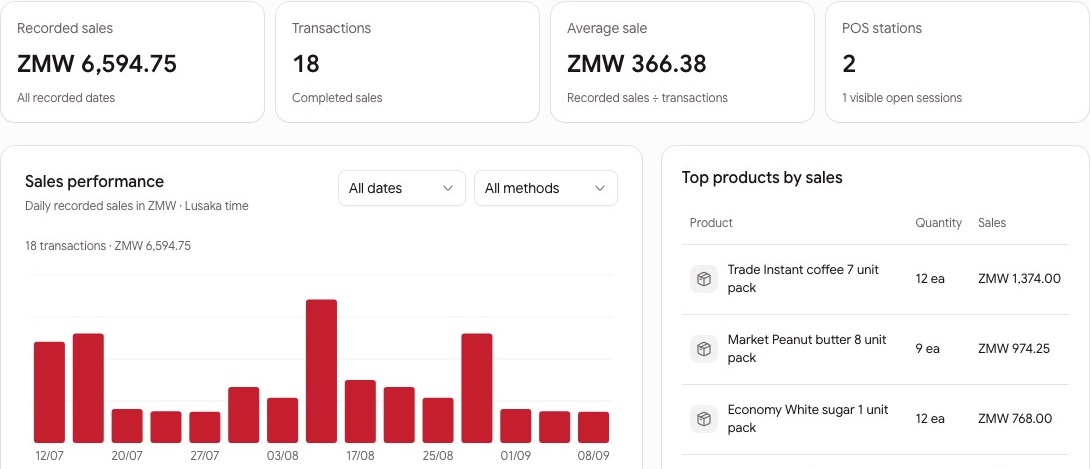
Review recorded sales, payment mix and top products for one outlet. Keep its POS stations and team activity within reach when you need to look closer.

Move from the branch overview to its activity record to see who did what and when.

Sample branch overview with recorded sales, transaction count, sales performance and top products.

The rest of your working day, connected.

Checkout

Keep the sale moving.

Find products, build a basket and record payment with the branch, POS station and cashier in context.
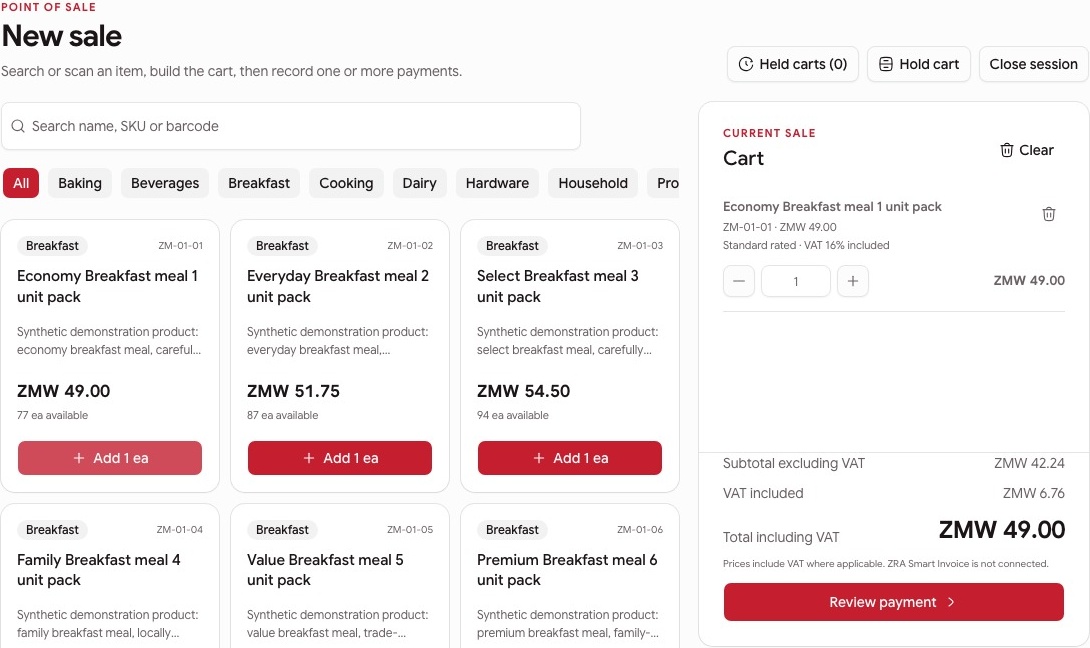
Sample checkout with product catalogue, basket and payment actions.

Transfers

Move stock between branches.

Follow a transfer from its source to its destination, with quantities and progress together in one record.
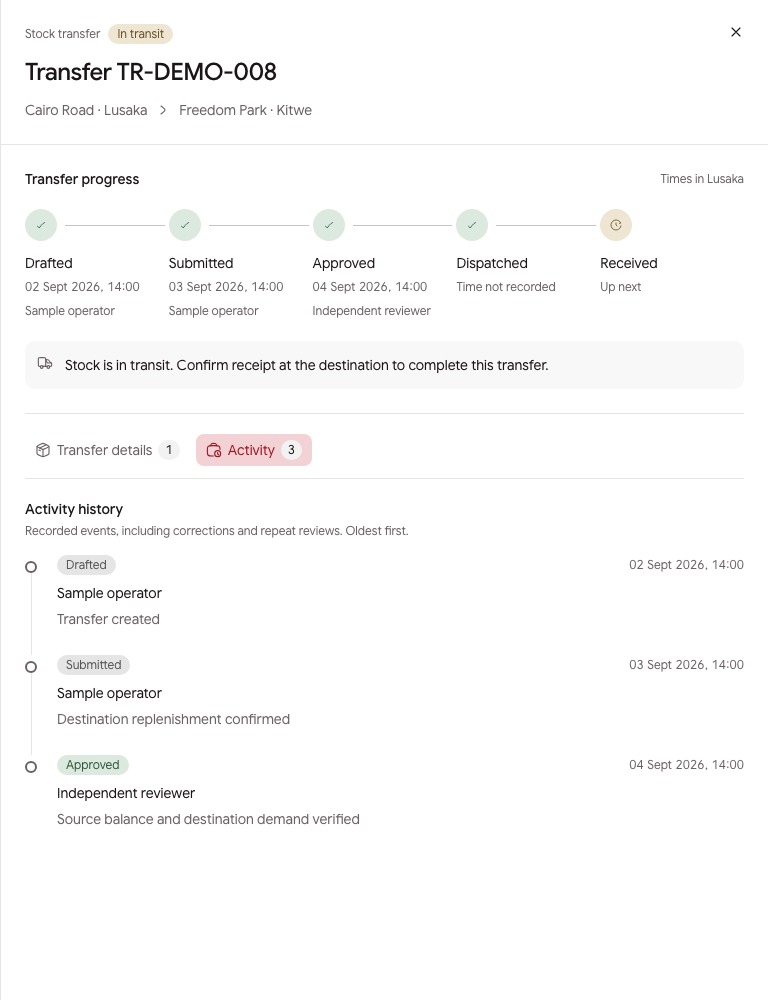
Sample transfer activity showing source and destination branches, transfer progress and recorded review events.

Stocktakes

Compare the shelf with the record.

Organise a stock count, review differences and follow the stocktake through its review steps.
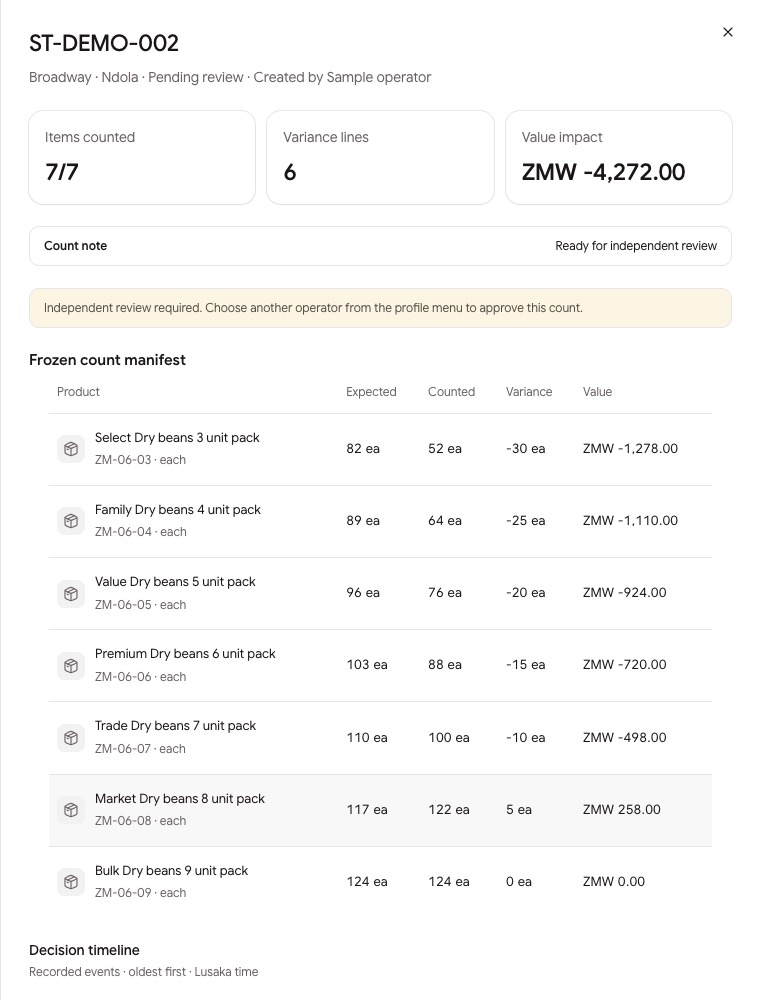
Sample stocktake details comparing expected and counted quantities, variances and independent review status.

POS stations

Know which till. Know who’s serving.

See each named selling point, its branch and operator context. Review station activity without losing track of the outlet.
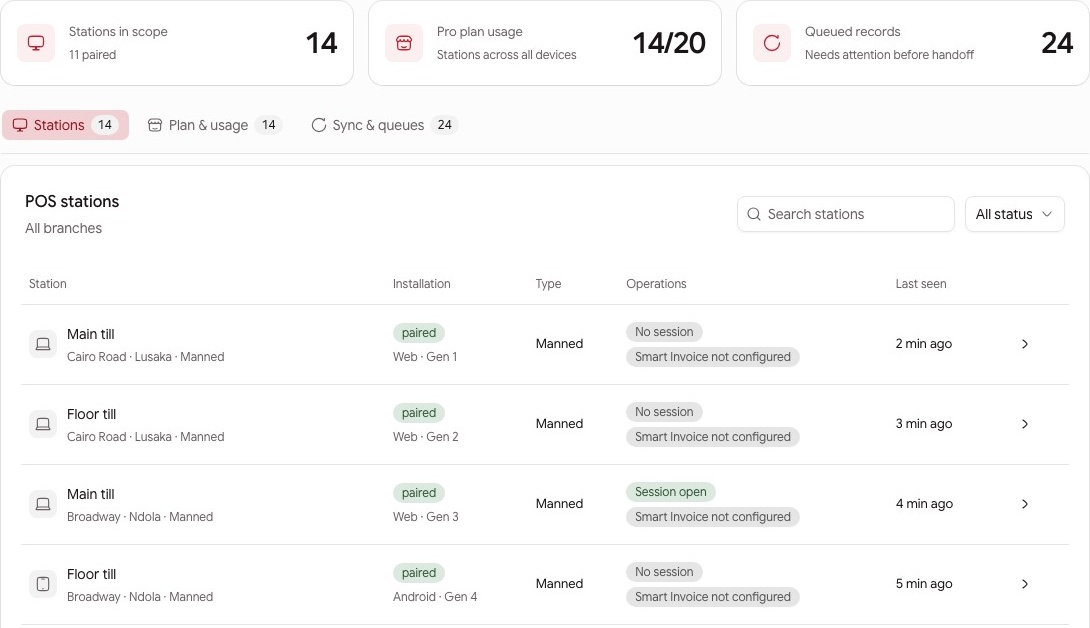
Sample POS stations showing branch assignments and operator sessions.

Smart Invoice, when you need it

A place for fiscal records, too.

Explore branch setup and invoice status alongside your sales and stock. See the next step when an invoice needs attention.

This is a product preview, not evidence of ZRA certification. Live Smart Invoice use requires the applicable ZRA approvals and completed branch setup.

Read the setup and invoice FAQs

Get your team ready for the working day.

Start with sample data and explore the workflow together. Your real rollout needs its own setup and readiness checks.
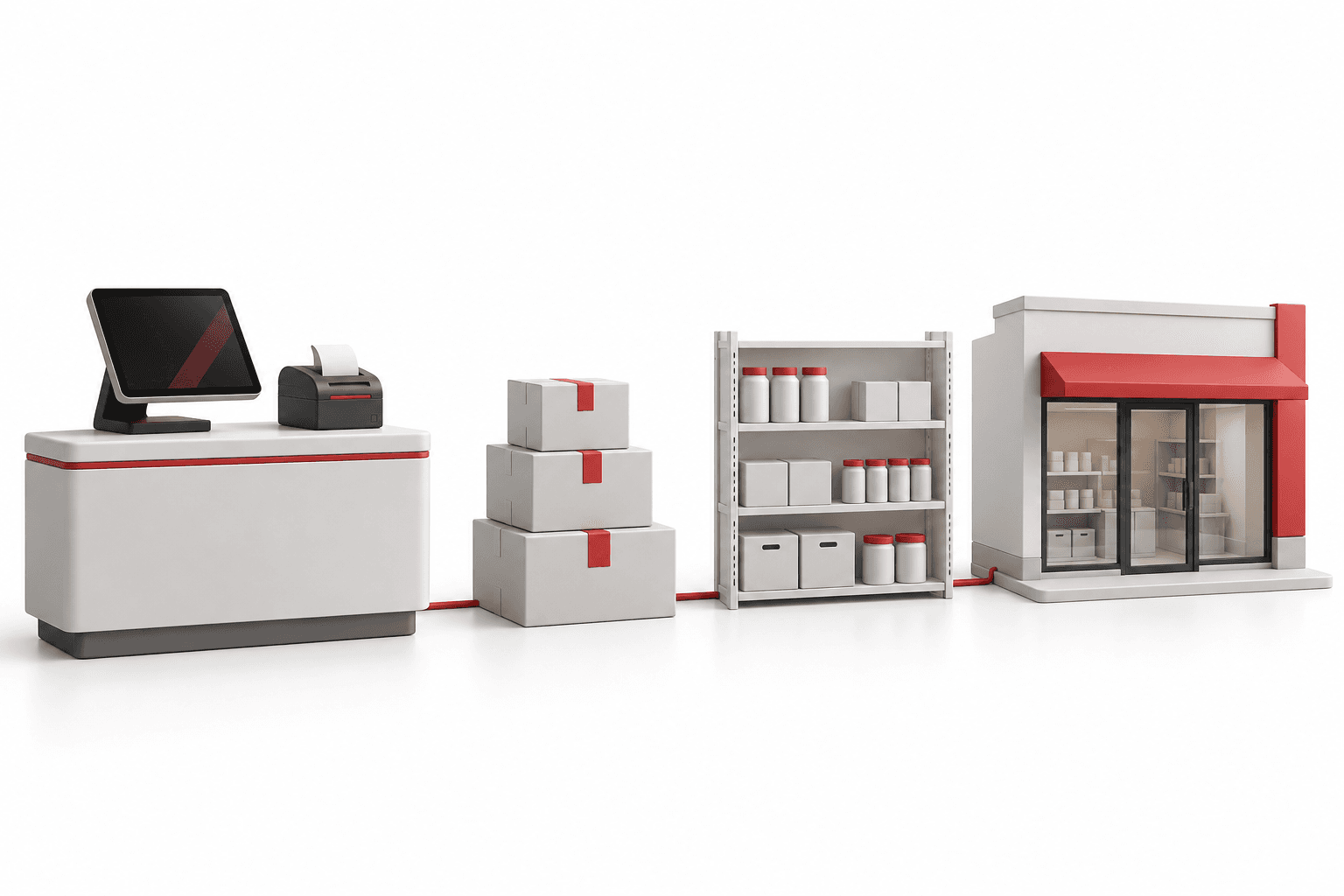
Illustration of a checkout, stock cartons, shelving and a shop connected by a red line.
  1. Step 1

    Set up your business

    Explore your business details and branches in the sample workspace.

  2. Step 2

    Prepare your stock

    Arrange your product catalogue, review opening stock and choose where each team works.

  3. Step 3

    Bring your team together

    Name your POS stations and practise checkout, transfers and stock counts before planning a rollout.

Start small.
Room to grow.

One plan for your business, with room for your branches and tills. Bring your own supported device. No separate device licence to buy.

Annual plans: 12 months for the price of 10.

Prices in ZMW. Choose the billing period that works for your business.

Free

Start selling with one complete POS setup.

K 0

Explore at your own pace

Explore Free
Active branches
1
POS stations across your branches
1
Active products
100
Checkout, receipts and invoice history
Included
Product catalogue and CSV import
Included
Stock receipts, movements and stocktakes
Included
Independent approvals and decision history
Included
Roles and branch access
Included
Move a till to another supported device
Included
Branch transfers and consolidated stock
Single branch
Branch-specific product prices
Single branch
Web POS
Online
Native offline selling
Planned
Live Smart Invoice
Separate setup

For growing businesses

Standard

Run a growing business across a few locations.

K 299

per month, per business

Explore Standard
Active branches
3
POS stations across your branches
5
Active products
1,000
Checkout, receipts and invoice history
Included
Product catalogue and CSV import
Included
Stock receipts, movements and stocktakes
Included
Independent approvals and decision history
Included
Roles and branch access
Included
Move a till to another supported device
Included
Branch transfers and consolidated stock
Included
Branch-specific product prices
Included
Web POS
Online
Native offline selling
Planned
Live Smart Invoice
Separate setup

Pro

Coordinate a larger multi-branch operation.

K 799

per month, per business

Explore Pro
Active branches
10
POS stations across your branches
20
Active products
10,000
Checkout, receipts and invoice history
Included
Product catalogue and CSV import
Included
Stock receipts, movements and stocktakes
Included
Independent approvals and decision history
Included
Roles and branch access
Included
Move a till to another supported device
Included
Branch transfers and consolidated stock
Included
Branch-specific product prices
Included
Web POS
Online
Native offline selling
Planned
Live Smart Invoice
Separate setup

Clear answers before you begin.

Get to know the workspace, your POS stations and Smart Invoice.

Take the next step with RevPOS.

Create an account to begin your business setup.

Create an account